Two editions.
One fast launcher.
Fugo installs, updates and launches Minecraft: Java Edition and Horizon, the Rust Edition of Minecraft, from a single window. The launcher is written in Rust, and it keeps Horizon up to date for you.
 Fugo Launcher — Home
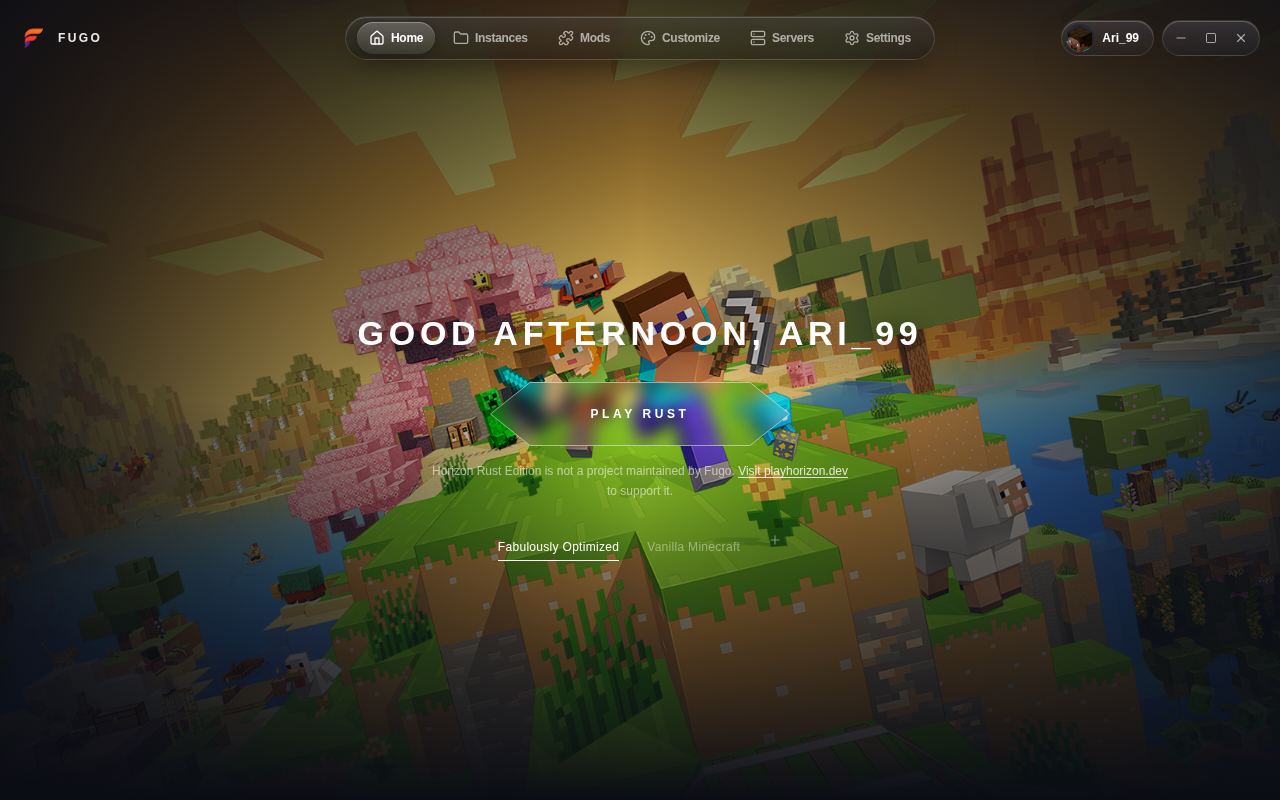
Everything in one window
Java and Horizon, side by side
Play Mojang's Minecraft: Java Edition, or Horizon, the Rust Edition. Each instance picks its own edition, version and loader.
Always on the Nightly
Fugo follows Horizon's Nightly build. It checks every 30 minutes and downloads and prepares each new build in the background, so Play is ready when you are.
1-Click Mod Resolution
Search Modrinth for mods, modpacks, resource packs and shaders. Required dependencies install with them, and any mod can be switched off without being deleted.
Microsoft or offline
Sign in with the Microsoft account that owns Minecraft: Java Edition, using a short code in your browser. Or play offline with any name. Keep several accounts and switch between them.
Skins and capes
Start with a starter skin, pick any player's skin by name, or use your own skin file. Equip the classic capes: Minecon 2011 to 2016, Migrator and Crafter.
Isolated instances
Every instance has its own game folder, mods, settings, Java arguments and memory. Duplicate one to try a change without touching the original.
Fugo 4 is a rewrite
Rewritten in Rust
Installs, launches, mods, accounts and settings all run on a new Rust core, with a Tauri window and a React interface. The window opens in about 1.5 seconds.
Horizon Rust Edition
Install and play Horizon right beside Java Edition. Fugo prepares its game files from your own Minecraft install.
Packages for Linux
Get a .deb for Debian and Ubuntu, an AppImage that runs anywhere, or an Arch Linux package.
Ready to launch?
Download Fugo for your system. Fugo runs on Windows and Linux, on x86-64 processors.